Selamat Datang

Search

Showing posts with label software. Show all posts

Sunday, 15 May 2011

Cdrwin 9.0.11.304


CDRWIN 9.0
The ideal burning software package for starters and professionals


The Dortmund-based software company Engelmann Media presents version 9 of the CDRWIN classic, a burning and copy software, which boasts new, even clearer user guidance. Instead of a completely overloaded burning suite the user gets software that concentrates on the basics: the fast and faultless burning and copying of CDs, DVDs and Blu-ray discs.

Inexpensive but powerful is the motto of CDRWIN 9. The user starts the required copy at the touch of a button. The clearly arranged GUI makes sure that the starter can handle the program from the very beginning. And thanks to the overhauled burning engine, backup copies of CDs and DVDs can be created in no time. Software version 9 also supports the burning of existing video-DVD-structures (audio/video-TS-folder).

Thanks to the concentrated burning power of CDRWIN 9 the user can burn nearly all disk formats like audio-, data-, video-, Mixed-Mode- and games CDs/DVDs. The software can also handle image files and Blu-rays. CDRWIN copies the disks problem-free in one go even if the system only has one CD/DVD-drive. Furthermore, all CDs, DVDs and Blu-rays can be finalised retroactively.

In addition, CDRWIN quickly digitalizes your audio CDs. Simply insert the CD to the drive, select an output format like MP3, WMV or WAV and the data is stored on the hard disk in the desired format. Likewise you can use CDRWIN as copy station since the software not only stores CDs and DVDs per mouse click on a data carrier, but also to hard disk.

Features:
  • Creation of ISO- and XMD-Images
  • Burning of ISO-, BIN- and XMD-images and cue files
  • Direct copy of data CDs/DVDs (incl. computer games) and audio CDs
  • Burning of data CDs (Orange Book-compatible) and data DVDs and Blu-ray discs
  • Also suitable for burning of MP3- and h.264/MPEG-4-CDs/ DVDs & Blu-ray discs
  • Burning of audio CDs (Red Book-compatible) with manually adjustable track breaks and CD-TEXT
  • Ripping of audio CDs in MP3, WMA or WAV
  • Supports the reading of CD-Text, freedb.org and manual input of title information
  • Fast or complete erasure of re-writable media
  • Burning of video-DVD-structures


Supported media:
  • CD-R (from 21 to 99 minutes length and overburning possible), CD-RW
  • DVD+R, DVD-R, DVD+RW, DVD-RW, DVD DL, DVD-RAM
  • BD-R and BD-RE


System requirements:
  • Windows XP SP2, Windows Vista (32 or 64 Bit), Windows 7 (32 or 64 Bit)


HOMEPAGE

Download | 20.8MB

Thuốc
Code:
Serial: CB06YD-5F3YMS-CE4BDE-QDF44Q-NM04FP

StudioLine Photo Basic 3.70.32.0


StudioLine Photo Basic 3


StudioLine Photo Basic is an easy-to-use yet powerful management and editing software for digital photos. Images can be imported from camera, scanner and all popular file formats.

The image archive is the central database where you conveniently categorize your images and add keywords and descriptions. Standard IPTC and Exif tags are fully supported. 30 professional image tools are included to improve exposure problems, red-eye effects, color tones, etc.

Photos can be printed, emailed or uploaded as web galleries. CD/DVD writing is included.

Features:
* New Customizable User Interface
The newly designed user interface offers panes for you to neatly organize descriptors, hints and image/folder information. Size, move, dock or hide panes to perfectly adapt StudioLine to your work flow. Even image tools can be restricted to a pane so that they don't obstruct your view of your images.
* XML Format for Exchanging Data with Other Applications
StudioLine Photo 3 can export metadata in XML format. This standard format simplifies the exchange of image descriptors with other applications.
* Backup Reminders
A new backup assistant can remind you in regular intervals to backup your images and offer to launch the appropriate backup task. You choose whether the reminder is based on days elapsed or the number of new images.
* Expanded Database Search by Time Spans
The new search engine has intuitive controls to restrict the search to a certain time span. This makes it even easier to find images of a particular event.
* Convenient Search and Replace
The new function to replace image descriptors is ideal for correction spelling mistakes or to standardize similar keywords, e.g., "vintage car" vs. "classic car".
* Special Export and Email Filters
StudioLine Photo Classic 3 offers special filters for exporting and emailing. Images canbe cropped, sharpened and overlaid with text to prepare them for a particular one-timeuse.
* Web-Gallery Design Wizard
Make up your own web gallery designs with the help of the new wizard. You choose the thumbnail size, borders, backgrounds and the use of image descriptors. Detail view pages with navigation links are designed in the same fashion. You can save your creations for later reuse.
* Loading and Managing Media Files
With StudioLine Photo Classic 3 you also load and manage the audio and video files recorded by your digital camera. A new icon in the image archive allows you to play any voice annotation that you associated with an image.
* Transition Effects for Slide Shows
The updated slide show offers a wide range of transition effects. You can pick your favorite or have StudioLine randomize the effect for each image.
* Online Order for Prints and Gift Items
* Prints and gift items with your images can be ordered directly from StudioLine Photo Classic 3.
* Timeline view automatically organizes images by date.
* A clever image archive filter to find your pictures faster.
* Click & Tag" keywords and categories.
* Rate your images with 1 to 5 stars.
* Live histogram with 18 views for an in-depth analysis of your photos.

* Highly intuitive white balance tool with one-click tone adjustment.
* Gradation curves to fine-tune luminescence for each color channel.
* Support for ICC color profiles.
* Print projects for calendars, cards, CD covers and more.
* Design editor to freely layout album pages, greeting cards, etc.
* Adjust RAW and DNG settings.
* Editing image in RAW format.

System Requirements:
Hardware and Operating System
  • Windows® 7 / Vista / XP / 2000
  • Pentium III or 4 or compatible processor, with a minimum of 800 MHz, higher recommended
  • RAM: 1 GB, more recommended
  • 150 MB disk space for programs (allow extra space for data)
  • 24 bit graphics adapter with monitor resolution of 1024 x 786 pixels
Supported Languages:
  • English
  • German
  • French
  • Italian
  • Spanish
Supported Browsers:
  • Internet Explorer, Version 4.0 and higher
  • Netscape Navigator, Version 4.0 and higher
  • Opera, Version 5.0 and higher
  • Firefox, Version 1.0 and higher
  • Other W3C DOM Level 2 compatible browsers

HOMEPAGE


Download | 65.77MB

UltraFileSearch 1.0.5.11129


UltraFileSearch

Ultra File Search is a Search Utility which is able to find quickly Files, Folders and Text on your Local, Network, DVD, CD-ROM, USB Hard or Flash Drives. Ultra File Search allows you to specify several File Mask and multiple Drives and/or Folders at the same time; it is able to sort out files and folders according to their properties (e.g. Modified Date) and find files which contain one or more specific words or sentences.

The search results can be put in order by column (upward, downward or neither of them). The results window supports Windows® Explorer functionality (e.g. icons, context menus). Specific actions can be carried out on the results (e.g. Open Folder, Open Containing Folder), moreover they can be exported in various formats (Plain TXT, Tabbed TXT, CSV, HTML, XML).

This Utility does not use background indexing, does not waste system resources and does not use extra space on the disk. Ultra File Search does NOT contain any Spyware, Adware or Viruses and is Free for Personal use.

Features:
User interface
  • Easy User friendly interface.
  • Can be launched directly from Windows® Explorer.
  • Only a few Clicks are needed to set the search parameters.
Files and Folders settings
  • Search for Files or Files and Folders or only Folders.
  • Is able to search in Subfolders and in Hidden Subfolders.
  • Is able to search on the basis of several File Masks at the same time.
  • Can use Filename wildcards to specify Files to search.
  • Can search in multiple Drives and/or Folders at the same time.
  • The Search Path supports single or multiple "Environment Variables"
  • Drives and/or folders prevention check before beginning the Search.
  • Rapid selection of Local or Network Drives or of the single Drive.
  • Rapid selection of the system standard Folder.
  • The Search Path supports UNC names (i.e. \\ComputerName\FolderName).
  • Supports Path lengths greater than 260 characters (max 32767).
Text search parameters settings
  • Search of files which contain one or more words or sentences.
  • Search of Files which do not contain the specified words or sentences.
  • Choice if to search a part of a word or the entire word.
  • Possibility to distinguish between capital and small letters.
  • Automatic exclusion of words search in Media files .
  • Automatic exclusion of words search in System Files.
  • Full support to Unicode Characters.
Date and Size settings
  • Filter for Files Newer than or Older than or within a specific Date range.
  • Possibility to select the Date Range on the basis of hours, Minutes, Seconds.
  • Filter for Files Larger than or Smaller than or within a specific Size range.
  • Possibility to select the Size Range on the basis of Bytes, KB, MB, GB.
Search process
  • High speed search.
  • Low use of the computer memory.
  • The search can be started, put in pause or restarted with a Click.
  • Progress state visualization: Files and Folders found and Total Size.
Results Window
  • Possibility to add results of consecutive searches.
  • The rows of the results are numbered for an easy recognition.
  • The results can be put in order by column: upward, downward or neither of them.
  • Incremental Search in the Window of the Results.
  • Search for Column in the Window of the Results and positioning on the found Items.
  • The results window supports Windows® Explorer functionality (e.g. icons, context menus).
  • Specific actions can be carried out on the results (e.g. Open Folder, Open Containing Folder).
  • The results can be exported in various formats (Plain TXT, Tabbed TXT, CSV, HTML, XML).
  • High speed in exporting the results.
Statistics visualization
  • Shows search statistics as found Files and Folders, Search Time, controlled Objects, Speed.
Search settings
  • The settings are specific for each user.
  • The latest search settings are saved as File Mask, Search Path, Search Text.
  • Items management (File Mask, Search Path, Search Text).
Portability
  • Can run from a USB Key or other external storage devices.
Technology and advantages
  • The search is done without the need to use background indexing.
  • No waste of system resource and of extra space on disk.
  • Possibility of an immediate search on the Drives just connected to the computer.
  • The search results are always up to date.
Last but not least...
  • Does NOT CONTAIN any Spyware, Adware or Viruses.
  • Free for Personal use!

System Requirements:
  • Operating System: Windows® NT 4.0 / Windows® 2000 / Windows® XP / Windows® 2003 / Windows Vista® / Windows® 7


What's New:
  • Added Rename Files. Added Copy to Folder. Added Move To Folder. Improved Create Shortcut.
  • Added Edit Menu: Cut, Copy, Copy to Folder, Move to Folder, Create Shortcut, Delete, Rename,
  • Remove from List.


HOMEPAGE

Download | Setup
Download | Portable

.Advanced SystemCare Pro 4.0.0.175


Advanced SystemCare Pro v4.0


Advanced SystemCare Profesional 3 adalah komputer terintegrasi perawatan pertama di bawah-klik satu metode untuk membantu melindungi, dan mengoptimalkan komputer perbaikan. Sepenuhnya bebas dengan fitur baru, antarmuka baru, fungsi baru, optimasi mesin yang sama, back up tiga kali lebih cepat dari kecepatan loading.

Program ini memiliki fitur 100% gratis dan terkenal termasuk:
  • Mencegah penyebab keterlambatan, dan aplikasi crash dan ancaman keamanan lainnya
  • Scan dan menemukan informasi yang utilitas lain bypass
  • Jaga komputer Anda bersih dan berjalan lebih mulus daripada sebelumnya
  • Dirancang untuk Windows Vista, XP, dan 2000.
  • Lebih dari 10.000.000 download sejak tahun 2006.
  • Benar-benar gratis untuk penggunaan pribadi
  • Juga Advanced WindowsCare Pro 100% aman dan benar-benar bersih tanpa spyware, adware atau virus

Manfaat Kunci:
  • Sangat mudah digunakan
    Menyelesaikan tugas-tugas dengan hanya satu klik. Scan, perbaikan dan melakukan perawatan komputer dalam satu menit
  • Guard Anda komputer gratis
    Memindai dan menghapus spyware, adware melalui file definisi update. Mencegah spyware, hacker dan pembajak dari menginstal program jahat di komputer Anda, menghapus, dan memperbarui catatan atas kegiatan
  • Windows Cleaner
    Mempercepat operasi dengan membersihkan file tidak ada, menghapus file yang tidak diinginkan, menghapus file sampah, dan menghilangkan entri registry korup
  • Jauhkan komputer Anda berjalan pada kecepatan tertinggi
    Tweak Windows dengan memanfaatkan kekuatan sistem yang terintegrasi. Secara dramatis meningkatkan kedua sistem dan kecepatan internet
  • Perbaikan sistem kesalahan
    Bukan hanya registry cleaner biasa, program ini juga membantu komputer Anda berjalan lancar dengan kinerja tertinggi. Memperbaiki konfigurasi komputer Anda dengan mencegah fenomena kemacetan dan crash
  • Aman dan 100% gratis
    100% gratis dan sama sekali tidak ada spyware atau adware adalah! Advanced Profesional SystemCare solusi perangkat lunak yang aman dan dapat diandalkan dari perusahaan terkemuka di dunia.


Homepage -

Download | 29.6MB
- Komputer harus terhubung pada internet aktif!
- Setelah Anda men-download dan menginstal pada komputer Anda. Jalankan program, dalam antarmuka utama klik Upgrade> Enter di bawah ini dan menunggu akhir tes tombol!
Obat
Kode:
 Serial: 48F0-48F0-0CD7-F0FF 
Download - Retail (incl Multi bahasa Spanyol.)

Super MP3 Download 4.6.8.6


Super MP3 Download
FREE Music Downloads, Unlimited Listening Online, Billboard Hot 100, 14 Categories Of Hottest Songs And More!


Super MP3 Download is easy to use application created to help you search and download over 100 million MP3 files. You can try the searched results to decide which one to download. Super MP3 download always brings you the hottest songs in the world; it recommends you the Billboard Hot 100 every week and lists the hottest songs of 14 categories, from electrical to religious, mainstream to indie, hip-hop to classical, etc. Besides, you can do advanced search by artist, title, album, and edition. You can even choose specific edition of live, piano, guitar or cover etc. to search. Super MP3 Download - Clean of any form of badware (viruses, spyware, adware, etc.) Get Super MP3 Download Pro version to enjoy more features - NO LIMITS on your downloads, advanced search enabled, download multiple songs at the same time and more!


Key Features:
Over 100 Million MP3 For Free
Super MP3 Download is free to use. You can search and download over 100 million MP3 from the largest download network fast and FREE.
Bring You The Hottest Songs
Super MP3 Download recommend you the USA Airplay Hot 100 every week and list the hottest songs across all genres, from electronic to religious, mainstream to indie, hip-hop to classical, etc.
Listen To Music Online Without limits
All with unlimited access to over 100 million songs, you can listen to music online for FREE and try the searched results to decide which one to download.
Advanced Search
Super MP3 Download can search songs in tags of title, artist, album, and edition. You can even search the live, piano, guitar or cover editions of your favorite songs.

Requires: Windows 2000/XP/Vista/7(32-bit and 64-bit).


HOMEPAGE

Download - Full

Install & Crack:
Code:
1-Unpack and install.
2-Patch the program using the included patch.
3-Use the key generator to generate a valid serial and unlock code.
4-Block internet, enter serial, choose manual activation
5-then enter unlock code.

CometBird 4.0.1


CometBird 4.0

CometBird is another Browser based on the highly respected Mozilla Browser engine. CometBird tends to load up a lot faster than Firefox and the interface looks very clean and streamlined as with Firefox. CometBird web browser is secure, speedy, totally free, and very effective in both performance and privacy protection. Cometbird uses less of your computer's memory while it's running. Online bookmarks with seamless synchronization enable you to synchronize your bookmarks among different browsers and on different PCs, and manage your booksmarks anywhere and anytime.

CometBird comes with native anti-virus software, pop-up blocker, one-click clearing private data, anti-malware and customized security settings to assure you a safe and secure browsing environment. With all new management functions in place, CometBird keeps memory usage under control. The XPCOM cycle collector continuously cleans up unused memory. Plus, hundreds of memory leaks are now remedied. A redesigned page rendering and layout engine means you see Web pages faster and in the way they were meant to be seen.


Features:
Online Bookmarks
Unable to use your own bookmark collection on different computers or different browsers? CometBird leaves you free from this trouble. CometBird bookmark synchronizer keeps all your bookmarks consistent anytime and anywhere!
Online Video Download
With CometBird, you can download any video/audio/flash that you like to your computer. You only need to right-click the video that is playing, CometBird will save the selected file to your local disk.
Word Translator and Notes
ComeBird has built-in word translator and Comet notes. you will not need to look up for every word, hover your mouse over a word and CometBird will translate into your subject language. Comet notes even help you remember and manage your schedule easily.
Superior Performace
The page-loading speed is greatly improved by opening new page in a new tab instead of new window, which saves much of your computer memory and disk space.
Much Safer
Anti-virus software, Pop-up blocker, one-click clearing private data, anti-malware and customized security settings etc, all these techniques are applied to assure you a safe and secure browsing environment.

HOMEPAGE

Download | English | Windows

Download - All Languages

KLS Backup 2009 5.2.2.1


KLS Backup 2009

KLS Backup 2009 is a powerful backup, synchronization and disk cleaner program that allows you to back up or synchronize your data to local and network drives, CD/DVD media or FTP server. The cleanup feature is a complete solution to backup and clean private data and free up disk space. The backup files can be stored uncompressed or compressed in standard Zip, 7-Zip or SQX format. KLS Backup 2009 can back up files and folders (from local drives, network locations, FTP servers), registry keys. Advanced version management, makes possible to find and restore any backup version within seconds. The synchronization feature allows you to easily synchronize the contents of two different folders.


Key features:
  • Backup from: local and network drives, Windows Registry, FTP server
  • Backup to: local and network drives
  • Backup to: CD/DVD media (CD-R/CD-RW/DVD±RW/DVD±R/DVD-RAM) using the built-in CD/DVD burner
  • Backup to: FTP server (with SSL/TLS support)
  • Backup of open, locked files (VSS)
  • Runs as a windows service
  • Predefined backup items (plugins)
  • Advanced Archive Version management
  • Local/Network folder synchronization with Local/Network folder/ZIP archive
  • Local/Network folder synchronization with a folder on an FTP server
  • Easy-to use user interface for beginners and advanced options for experts
  • Standard ZIP compression, Zip64 support, 7-Zip and SQX compression, AES encryption
  • Full, Incremental, Differential backup modes
  • Detailed backup logs, sending logs in e-mail, Windows Application Log support
  • Integrated Scheduler
  • Flexible restore options


System requirements:
  • Windows 2000/NT4/XP/Vista/7 32 and 64-bit (all editions)
  • Windows Server 2000/2003/2003R2/2008/2008R2/SBS2011 32 and 64-bit (all editions)
  • Hard drive with at least 15MB free disk space for installation
  • 64MB memory

Changes in version 5.2.2.1:
[FIXED] Synchronization: minor fixes
[FIXED] CD\DVD backup: minor fixes


HOMEPAGE

Download - Full
Code:
Password: softvnnDOTcom

Synergy 1.3.6 Stable/ 1.4.2 Beta


Synergy

Synergy is Free and Open Source Software that lets you easily share your mouse and keyboard between multiple computers, where each computer has it's own display. No special hardware is required, all you need is a local area network. Synergy is supported on Windows, Mac OS X and Linux.

Major features:
  • Move your mouse easily between computers
  • Requires nothing other than existing ethernet
  • Copy and paste between your computers
  • No need to press any buttons (unlike KVM)
  • You can still use multiple monitors on the same computer
  • Lock the mouse to one screen


HOMEPAGE

Download | Beta | Windows | 32bit
Download | Beta | Windows | 64bit

Download | Beta | MacOS | 10.6 Universal

Download | Stable | Windows | 32bit
Download | Stable | Windows | 64bit

Absolute Sound Recorder 4.3.1


Absolute Sound Recorder 4

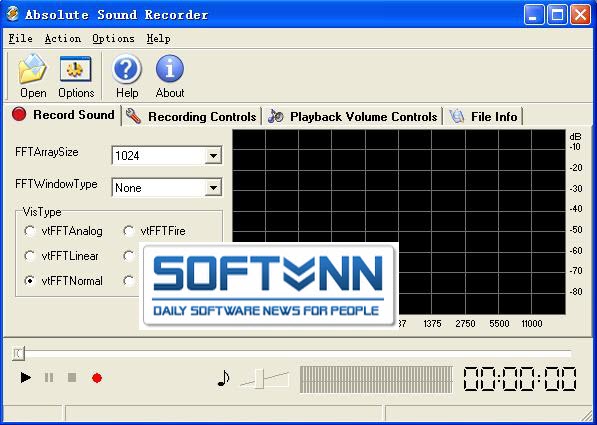
Absolute Sound Recorder is a powerful sound recording software.It can record sound from microphone, line-in audio , streaming audio from the Internet, or music played by any player.It even can record your skype or gtalk conversation. It supports three kinds of sound output formats, WAV, MP3 and WMA.


Features:
Powerful functions: Absolute Sound Recorder can record any signal played through your sound card in MP3 WMA or WAV files.

Recording controls: You can select input device and set filter,make high quality output voice. You can also integrate the complete set of record volume control for your convenience.

Sample and Bitrate settings: Support Sample and Bitrte settings. To get higher quality recording, you can set the Sample rate, Mono or Stereo, and the Sample Bit, before recording. With its powerful sound engine, Recorder produces recordings with CD quality.

Visualization Recording: Provide visualization image of the input sound.You can adjust the record volume and decide to pause or resume to record as you like.

File Information: You can view recording file information such as file size,play time,and so on;You can also edit Id3 tag information of the recording file.

Direct-To-Disk long time recording: Can consecutively record for as long as your like without interrupt.

User-friendly interface,very easy to use.

System Requirements:
  • CPU: Pentium II Processor or better.
  • Memory: 128M RAM.
  • Windows 98,NT,ME,2000,XP,2003,Vista,Windows7
  • 50Mb free disk space.


HOMEPAGE

Download| 2.88MB
Thuốc
Code:
Name: Absolute
Serial: aL+Q5Ey0ehpK6jEKma

Name: Sound Recorder
Serial: A2QXbk=2hyRGv5AtRMVTGNM3kF+L2jRyxq

Thursday, 12 May 2011

OJOsoft Total Video Converter 2.7.6.0419


OJOsoft Total Video Converter

OJOsoft Total Video Converter Chuyển đổi hầu hết các định dạng video vơi tốc độ nhanh và chất lượng cao. Giao diện người dùng thân thiện và dễ sử dụng giúp công việc chuyển đổi dễ dàng như ABC. Tách các bài nhạc từ phim và file video. OJOsoft Total Video Converter là chương trình phần mềm cho phép chuyển các định dạng video ở tốc độ cao và chất lượng video tốt nhất. Nó có thể chuyển đổi file video giữa hầu hết các định dạng như chuyển đổi AVI thành MPEG, WMV to AVI, WMV chuyển đổi MPEG, MKV to AVI, MKV thành MP4,…

OJOsoft Total Video Converter có thể được sử dụng như trình chuyển đổi video cho iPhone, trình chuyển đổi video 3GP, trình chuyển đổi video cho PSP, trình chuyển đổi video cho iPod và cho Zune để chuyển đổi tất cả định dạng video cho điện thoại, Sony PSP, iPod, Apple iPhone, Zune và các máy chơi video xách tay khác.

Thêm nữa là nó có thể cung cấp cách dễ nhất để chuyển đổi file video thành file audio như MP3, WMA, AC3, M4A, AAC,…..


OJOsoft Total Video Converter có thể làm gì cho bạn?
1. Trình chuyển đổi file FLV
chuyển đổi file FLV thành định dạng thông thường khác như chuyển đổi FLV thành AVI, MPEG, MP4, MP3, WMV, MPG,…
2. Trình chuyển đổi video thành MP4
Chuyển đổi hầu hết các định dạng file video phổ biến như chuyển đổi AVI, WMV, MPEG, VOB, MKV, MOV, DRV-MS thành MP4,…
3. Trình chuyển đổi video thanh MP3
Tách bài hát từ phim và video nhạc và chuyển đổi thành định dạng MP3 như chuyển đổi MP4, WMA, M4A, MOV thành MP3,…
4. Trình chuyển đổi video thành iPod
Chuyển đổi video/phim thành định dạng video cho iPod như chuyển đổi AVI, FLV, DivX, VOB, MPG, 3GP thành iPod,…
5. Trình chuyển đổi video thành iPhone
Chuyển đổi video/phim thành định dạng video iPhone như chuyển đổi AVI, WMV, FLV, VOB, MPG, 3GP thành iPhone,…
6. Trình chuyển đổi video thành AVI
CHuyển đổi video thành định dạng AVI như chuyển đổi MKV, VOB, MP4, MOV, WMV, MPG thành AVI,…
7. Trình chuyển đổi video thành 3GP
Chuyển đổi video thành dịnh dạng 3GP như chuyển đổi AVI, WMV, FLV, MP4, MP3, DivX thành 3GP,…
8. Trình chuyển đổi video thành PSP
Chuyển đổi video thành dịnh dạng video cho PSP như chuyển đổi VOB, AVI, MP4, FLV, 3GP, WMV thành PSP,…
9. Trình chuyển đổi video thành WMA
Chuyển đổi video hoặc audio thành định dạng WMA như chuyển đổi XviD, MOV, M4A, MP3 thành WMA,…
10. Trình chuyển đổi MKV
Chuyển đổi file MKV thành định dạng phổ biến khác như chuyển đổi MKV thành AVI, MP4, TS, MPEG, VC1, iPhone,…
11. Trình chuyển đổi video thành MPEG
Chuyển đổi video thành định dạng MPEG như chuyển đổi AVI, WMV, VOB, QuickTime, MP4, DivX, 3GP, MOV thành MPEG,…
12. Trình chuyển đổi video thành WMV
Chuyển đổi video thành định dạng WMV như chuyển đổi AVI, MOV, MP4, VOB, MPEG, DivX thành WMV,…
13. Trình chuyển đổi video thành DivX
Chuyể đổi video thành định dạng DivX như chuyển đổi AVI, VOB, FLV thành DivX,…
14. Chuyển đổi video thành MPG
CHuyển đổi video thành định dạng MPG như chuyển đổi AVI, WMV, MOV, VOB, 3GP, MP4 thành MPG,…

Tính năng của OJOsoft Total Video Converter:
* Hỗ trợ chuyển đổi các file video từ định dạng này sang định dạng khác
* Hô trợ tác nhạc trong file video
* Hỗ trợ chuyển đổi nhiều file cùng lúc với list các file
* Hỗ trợ các định dạng video phổ biến mới nhất - MKV, TS, h.264, vc-1
* Tốc độ chuyển đổi vô dối cùng chất lượng đầu ra tuyệt vời
* Hỗ trợ Windows Vista
* Bạn có thể chọn kích cỡ video, bitrate, NTSC/PAL, rate frame, codec nhạc, sample rate,….
* Dễ dàng chỉnh sửa tên và đường dẫn cho file đầu ra
* Khi chuyển đổi file bạn có thể tạm dừng, stop và tiếp tục trong một khoảng thời gian
* Với giao diện người dùng thân thiện OJOsoft Total Video Converter thích hợp cho cả chuyên gia và người mới dùng, bạn có thể hoàn thành công việc dễ như 1-2-3
* Tích hợp tất cả decoder và encoder. Khi bạn download và cài đặt OJOsoft Total Video Converter, tất cả định dạng được hỗ trợ có thể được chuyển đổi mà không cần download codec thêm nữa.
* Cài đặt an toàn mà không sợ virus. Vì vậy không có spyware và adware trong OJOsoft Total Video Converter.


Homepage

Download
Mirror

Thuốc:
Code:
HUUD-OGRZ-ZZCV-YLFT-YLOH
DGAY-WZRS-HIPI-PEGJ-BSIY
NQFW-ELSD-LWYN-UVOT-CTFW
KOXX-TVLW-TLGM-NHOE-PCYA
ZCDR-ZURZ-LQLC-PRLZ-EEMI
BTZT-SMWJ-YVZJ-OUZF-LVPH

Download - Full | v2.7.3.1204

Adobe InDesign CS5 7.0.4


Adobe InDesign CS5

Design professional layouts for print and digital publishing! Adobe® InDesign® CS5 software provides precise control over typography and built-in creative tools for designing, preflighting, and publishing documents for print, online, or to mobile devices. Include interactivity, animation, video, and sound in page layouts to fully engage readers.

Design a rich array of interactive documents from digital brochures, to eBooks to interactive magazines. Add interactivity, animation and rich media such as video and sound. Export your documents as SWF for playback in the Flash player or interactive PDF. Quickly create stunning print work using a variety of productivity and production tools including simplified object selection and editing, Live Preflight, PDF export in the background, custom print presets and more. Lay out presentation pages in InDesign, including graphics, text, video, audio, and motion. Add navigation features. Export as a SWF file for playback in the Adobe Flash® Player runtime.

InDesign provides the creative freedom to scale and shear text and graphics, use gradient fills and strokes, or draw and edit Bezier paths.

New Adobe® InDesign® CS4 software breaks down the barriers between online and offline publishing. Create compelling print materials, immersive content for playback in the Adobe Flash® Player runtime, and interactive PDF documents — all with beautiful typography and stunning design.

Adobe® InDesign® software breaks down the barriers between online and offline publishing. Create compelling print layouts, immersive content for playback in the Adobe Flash® Player runtime, and interactive PDF documents. InDesign provides a versatile foundation for dynamic publishing workflows, both now and in the future. Create high-impact, personalized content and long documents tailored for unique audiences using logical, condensed steps and advanced features.


FEATURES:
* Create powerful, innovative digital documents:
Folio Producer tools:
Create and preview digital magazines, newspapers, and catalogs with engaging elements such as 360° object rotation and image panoramas for a wide variety of tablets. Upload to Adobe Digital Publishing Suite1 for further production and distribution.
Access to Adobe Digital Publishing Suite:
Access the hosted services of Adobe Digital Publishing Suite from within InDesign to publish engaging digital documents for a range of tablet devices.
Interactive documents and presentations:
Add interactivity, motion, sound, and video to documents and presentations, exporting directly to SWF for playback in the Adobe Flash® Player runtime.
Export to Flash Professional:
Export InDesign documents to Flash Professional to add sophisticated interactivity, animation, and navigation to complex layouts.
* Create better eBooks with ePUB export enhancements:
Enhanced eBook authoring:
Create more engaging eBooks, with less need for developers. Use a smoother workflow as you include refined typography and images that resize to fit virtually any screen. Even add video and audio for eBook reader applications that support HTML5 video and audio tags.
Embedded video and audio in eBooks:
Include video and audio in InDesign layouts you export to EPUB format to create more engaging digital books. Embedded audio and video play on mobile devices that support HTML5, like the iPad.
Articles panel:
Control the sequence of text, images, and graphics when you export to EPUB or HTML without changing your InDesign layout. Organize your content by dragging it into the new Articles panel to define the export order.
Styles mapped to tags in EPUB export:
More easily create standards-compliant digital documents with improved basic typography — with no manual code changes required. Map paragraph and character styles directly to HTML, EPUB, and PDF tags so they export using appropriate specifications.
Dynamic image resizing:
Design and publish an EPUB eBook whose imagery will look good on virtually any size screen on which it is played — from a desktop monitor to a smartphone — making the content accessible and enjoyable on any device.
* Do more in less time:
Linked text:
Maintain consistency more easily when working with content that’s duplicated throughout a document. Link identical text blocks within a layout so that changes to the parent block are automatically made in all the others.
Dragging and dropping of anchored objects:
Add inline graphics and other anchored objects quickly and intuitively by simply dragging them to the desired anchor location in the text.
PDF accessibility enhancements:
Reduce the time it takes to create PDF documents that are more accessible to people with disabilities. More easily add, edit, and view Alt text attributes associated with an image or object.
Preflight and production tools:
Speed up production, increase print reliability, and deliver error-free documents with live preflighting, document-installed fonts, JDF technology, background PDF export, and enhanced support for PDF/X standards.
Multiple page sizes:
Create pages with different sizes in a single document.
Paragraphs that span or split columns:
Quickly create text that spans or splits into multiple columns in just a few steps.
Simplified object selection and editing:
Perform repetitive layout tasks efficiently using convenient tools and on-object controls.
Document-installed fonts:
Help eliminate font substitution issues with document-installed fonts.
Track Text Changes:
Mark up text directly in InDesign, easily tracking copy revisions.
Integration with Adobe CS Review:
Create and share reviews online while working in InDesign through integration with Adobe CS Review, a CS Live online service.3,4 See feedback in the context of your page layout.
Integration with other Adobe solutions:
Move projects smoothly from design to print or digital output, thanks to tight integration with industry-leading Adobe software such as Adobe Photoshop, Illustrator, Acrobat, Flash Professional, and Digital Editions.
Integration with online services:
Build engaging interactive documents for tablets and improve the efficiency of design processes using essential Adobe Digital Publishing Suite1 and Adobe CS Live online services,3,4 directly accessible from InDesign.
Productivity tools:
Produce sophisticated page layouts using customer-inspired productivity features such as Smart Guides, rapid table creation, multiple-file placement, on-object controls, and the ability to create pages of different sizes in a single file.
Built-in creative tools:
Explore creative possibilities directly within InDesign using integrated drawing tools, nondestructive effects, built-in Adobe Photoshop® effects, finer transparency controls, and support for 3D Photoshop artwork.
Adobe Mini Bridge:
Find and drag images into page layouts from Adobe Mini Bridge without leaving InDesign.
Live captions:
Generate static or live captions automatically from image metadata.
Automation:
Create powerful automated workflows using standards-based XML features to lay out pages with text and images. Incorporate database-driven content for greater efficiency when publishing across channels.
Collaboration in editorial workflows:
Improve collaboration between design and editorial teams with tight integration between InDesign CS5.5 and Adobe InCopy® CS5.5.
Extensibility:
For custom publishing using InDesign Markup Language (IDML), an XML-based file format that enables developers to create or modify files using standard XML tools.
Robust text composition:
Create beautiful, sophisticated text for any medium with professional typography features including styles, text wrap, the Paragraph Composer, OpenType® support, drop caps, and the ability to map styles to tags in EPUB export.
Enhanced PDF export options:
Export PDF files that meet the PDF/X-4:2010, PDF/X-5:2010, and PDF/VT-1 standards for tight integration with Adobe Acrobat® X and Adobe PDF Print Engine 2.5.
Comprehensive Layers panel:
Easily manage page items with a Layers panel that is similar to the one in Adobe Photoshop and Illustrator®.

System requirements:
Windows
  • Intel® Pentium® 4 or AMD Athlon® 64 processor
  • Microsoft® Windows® XP with Service Pack 2 (Service Pack 3 recommended); Windows Vista® Home Premium, Business, Ultimate, or Enterprise with Service Pack 1; or Windows 7
  • 1GB of RAM (2GB recommended)
  • 1.6GB of available hard-disk space for installation; additional free space required during installation (cannot install on removable flash storage devices)
  • 1024x768 display (1280x800 recommended) with 16-bit video card
  • DVD-ROM drive
  • Adobe® Flash® Player 10 software required to export SWF files
  • Broadband Internet connection required for online services and to validate Subscription Edition (if applicable) on an ongoing basis*
Mac OS:
  • Multicore Intel processor
  • Mac OS X v10.5.8 or v10.6
  • 1GB of RAM (2GB recommended)
  • 2.6GB of available hard-disk space for installation; additional free space required during installation (cannot install on a volume that uses a case-sensitive file system or on removable flash storage devices)
  • 1024x768 display (1280x800 recommended) with 16-bit video card
  • DVD-ROM drive
  • Adobe Flash Player 10 software required to export SWF files
  • Broadband Internet connection required for online services and to validate Subscription Edition (if applicable) on an ongoing basis*

HOMEPAGE

Download - Trial
Download Update Patch to version 7.0.4


Thuốc - Keygen
Code:
Password unlock: softvnnDOTcom

BitComet 1.27 Final


BitComet 1.27 Final

BitComet is a p2p file-sharing freeware fully compatible with Bittorrent, which is one of the most popular p2p protocol designed for high-speed distribution of 100MB or GB sized files.

BitComet is a powerful, clean, fast, and easy-to-use bittorrent client. It supports simultaneous downloads, download queue, selected downloads in torrent package, fast-resume, chatting, disk cache, speed limits, port mapping, proxy, ip-filter, etc. Supports 52 Languages.

Features Of "BitComet":

Video Download - any video from any site!
- Now able to download any video/mp3/flash files from ANY website.
BitTorrent Download - fast and powerful
- Preview while Downloading: Preview of MP3, rmvb, wmv, and qt is available during downloading process.
- Intelligent Connection Optimization: Configuration is automatically set to match your connection type.
- Intelligent Disk Cache: Memory cache is used to reduce the read/write frequency of your hard drive, therefore increasing service life.
- Quick Resume: The torrents can be seeded or resumed immediately without time consuming scans.
- NAT Traversal: Users behind NAT can now connect with each other by UDP.
- Auto Config ICF (Internet Connection Firewall) and ICS (Internet Connection Sharing) in Windows XP
- Auto Config UPNP port mapping in router (UPnP support is required in router, Windows XP is required).
- Option of Disabling and Setting Priority of Files in any torrent: Files can be disabled, so they are not downloaded, or set to higher or lower priority, allowing you to select which files finish first.
- Trackerless support (Mainline DHT): Torrents can be downloaded when tracker is offline using DHT.
- Support for Multi-tracker, and utf-8 extension, UDP tracker Protocol v2 .
HTTP/FTP Download - Innovative P2P Technology
- Preview while Downloading: Preview of mp3, rmvb, wmv, and qt is available during downloading process.
- Ability of Multi-Section Download: Files are split into several sections which are downloaded at the same time to increase the download speed up to 500% or more.
- Ability of Multi-Mirror download: Mirror servers are automatically found for the file being downloaded. Data from these servers are downloaded at the same time to increase download speed 300% or more.
- Ability of Multi-Peer download: BitTorrent technology is integrated into HTTP/FTP protocol, with which BitComet automatically finds other peers and gets data from them to increase your download speed without additional bandwidth usage of the HTTP server.
- Support for Unicode: Multi-language web pages and encoded URLs can be correctly handled.
- Quick Resume: Stopped download tasks can be resumed from where they left off from both HTTP and FTP servers
Download Management - Customization Available
- Global and Per-Task Speed Limit, for Both Upload and Download.
- Bandwidth Scheduler
- Custom-built Categories Management.
Easy to Use and Free!
- User-friendly and very easy-to-use, we try to hide every complicated terms behind the interface
- BitComet does not contain any adware or spyware.
- You can support us by making a donation.

Changes in BitComet 1.27 Final:
GUI Improved: display Batch Download window when drag&drop multiple torrent files to main window or floating window
GUI Improved: remove the drop-down menu from the delete button in toolbar of Torrent History or Torrent Share list
GUI Improved: add "Show Detailed Info" option in View menu
GUI Improved: new setting in option dialog: add to Torrent Share when opening torrent
GUI Improved: display translation text of "Day" and "Hour" in task left time
GUI Improved: display recovered and dropped data size by hash-checking in task log list
GUI Improved: display used memory size in Statistics pane
GUI Improved: new setting in Advanced Option page: max number of UDP packets sent per second
GUI Improved: display upload/download speed in the left of main window's title bar
GUI Improved: display more accurate error info when opening Magnet URI of unsupported types
GUI Improved: display preview window of task downloading progress when mouse hovers on floating window or system tray icon
GUI Improved: display Batch Download window when open multiple torrent files from File menu
GUI Improved: display confirm window if tasks need hash-check when started
GUI Improved: add new global option: display hash-check confirm window
GUI Improved: enhance video file capture ability of Firefox extension
GUI Improved: max cache size in global options page up to 16 GB under 64-bit system
GUI Improved: display download/upload size of this session in Statistics pane
GUI Improved: drop-down menu of remove button in toolbar is removed. click remove button with shift key can remove download task and files together
GUI Improved: decrease the context menu level of floating window and system tray icon
GUI Improved: available space can be displayed correctly even if the save folder is a symbol link to other volume
GUI Improved: improve the crash report program
GUI Improved: new task list of VIP Downloads
GUI Improved: "delete task and files" removed from task context menu. click "delete task" menu command with shift key to delete download task and files together.
GUI Improved: support context menu of IE 9 to download using BitComet
GUI Improved: modify the size of BT task properties dialog, compatible with 1024x600 resolution
GUI Improved: display navigation pane of Windows Explorer when open task download folder under Windows XP
GUI Improved: the text of task status in summary pane can't be displayed completely when it's too long
GUI Improved: new button in toolbar: add Magnet URI
GUI Improved: BitComet video download extension for Firefox supports Firefox 4
GUI Improved: BitComet plugin for Firefox supports Firefox 4
GUI Improved: un-installation program will notify running BitComet to exit
GUI Changed: update check for popular software removed totally
GUI Changed: remove the "Don't show again" option in task remove confirm window
GUI Bugfix: "Open Forum" button in toolbar become invalid when file list is showing
GUI Bugfix: after remote connection established, the network status light turns green, but the tooltip of the light and the listening port status in Statistics pane not refreshed
GUI Bugfix: in v1.26, certain settings in Proxy page can't be saved
GUI Bugfix: in v1.26, unable to create new tag from Task Tag option page
GUI Bugfix: in v1.26, the seed number not displayed in task summary pane
GUI Bugfix: the option "add to Torrent Share when opening torrent" doesn't work
GUI Bugfix: when mouse hovers on the system tray icon, the preview window of task downloading progress displayed in incorrect position
GUI Bugfix: the detail info windows of download/upload size in task summary pane couldn't be able to shown up after program running for a long time
GUI Bugfix: the task state icon displayed as warning if only download part of files of a BitTorrent and choose "Download Later"
GUI Bugfix: after increase text size of Windows (DPI setting), the layouts of certain windows went wrong
GUI Bugfix: the function of shutdown computer after all task download finished ignores tasks in queue
Core Improve: native support for 64-bit system
Core Improve: read file in working thread after disk cache of BitComet used up, to avoid UI responding slowly while high-speed seeding
Core Improve: slow down download speed when disk writing speed can not catch up, to avoid UI responding slowly while high-speed downloading
Core Improve: improve uploading queue handing, to boost uploading speed in LAN
Core Improve: if the the download drive not accessible when task starts, hash-check will be skipped to avoid download progress be reset
Core Bugfix: stop and restart BT task containing 0 size files will lead to unnecessary hash-checking
Core Bugfix: drop incoming peers whose listening port is unknown when their connection disconnected
Core Bugfix: files not closed after task stopped as disk space full, making those files locked for moving or removing
Core Bugfix: if only select part of files in a BitTorrent download, the task progress may fall back after hash-checking
Core Bugfix: when the setting of allocate space before downloading enabled, only the space of the first 50 files is allocated
Core Bugfix: if the save folder is a junction of directory, the download will fail
Core Bugfix: download rate limit for single BT task not applied to downloading from Long-Term Seeds

Homepage - Trang Chủ

Download - version 1.27 Final